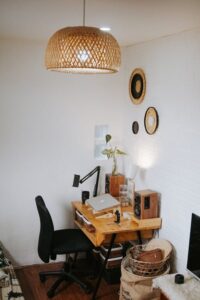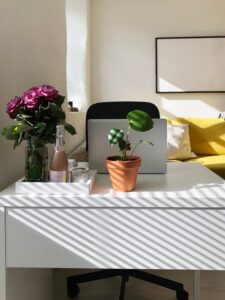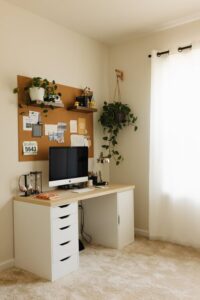
Tips for Creating a Cozy and Productive Home Office Space
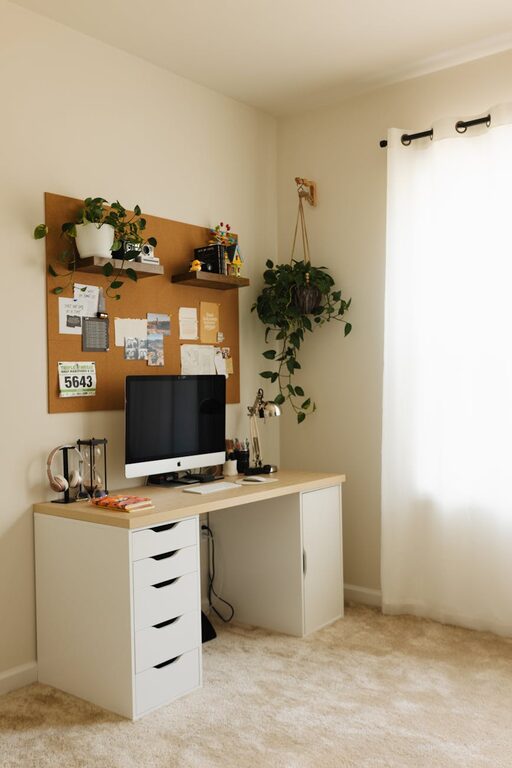
Working from home has become a permanent part of many people’s lives, making it essential to create a workspace that supports both comfort and productivity. A cozy, well-organized home office can help you focus better, reduce stress, and even improve your work-life balance. Below are practical tips to help you design your ideal home office space.
Choosing the Right Location
Selecting the perfect spot for your home office sets the foundation for an effective workspace.
– Find a quiet area: Choose a place with minimal noise and distractions, such as a spare room, a corner of your bedroom, or a nook away from high-traffic areas.
– Consider natural light: Position your desk near a window if possible. Natural light can improve mood and reduce eye strain.
– Assess space needs: Depending on your work, make sure there’s enough room for your computer, documents, and any other tools you use regularly.
Prioritize Ergonomics for Comfort
Comfort plays a crucial role in maintaining productivity throughout the day. Here’s how to set up an ergonomic workstation:
– Invest in a good chair: Choose a chair with adequate lumbar support, adjustable height, and comfortable padding.
– Use a proper desk height: Your desk should allow your elbows to rest at about a 90-degree angle.
– Position your monitor correctly: The top of your screen should be at or slightly below eye level to help avoid neck strain.
– Keep essentials within reach: Organize your desk so that frequently used items are easy to access, reducing unnecessary stretching or twisting.
Optimize Lighting
Proper lighting can reduce eye fatigue and create a pleasant environment.
– Combine natural and artificial light: Use daylight when possible, and supplement with a quality desk lamp.
– Choose the right bulb: Opt for bulbs that mimic natural daylight (around 5000K), which are easier on the eyes.
– Avoid glare: Position your screen to avoid reflections from windows or lamps.
Create a Cozy Ambiance
A welcoming space encourages you to spend more time working effectively.
– Add personal touches: Incorporate photos, artwork, or decorative items you enjoy.
– Include soft textures: A cozy rug, cushions, or a throw blanket can make your office feel warm and inviting.
– Use calming colors: Soft neutrals or pastels tend to be soothing and enhance focus.
Stay Organized
Clutter can distract and stress you out. Maintaining an organized office is key.
– Use storage solutions: Shelves, filing cabinets, and drawer organizers help keep everything in place.
– Declutter regularly: Set aside time weekly to remove unnecessary items.
– Keep a tidy desk surface: Only keep essentials on your desk to maintain a clear workspace.
Incorporate Plants
Plants not only brighten up a room but can also improve air quality and reduce stress.
– Choose low-maintenance plants: Succulents, snake plants, or pothos are great options.
– Place plants strategically: Position them near your desk or window to bring in a touch of nature.
Manage Technology Effectively
Technology is the backbone of any home office. Here are tips to streamline your setup:
– Invest in reliable hardware: A dependable computer, headset, and fast internet connection reduce frustration.
– Cable management: Use clips or sleeves to keep cords tidy and prevent tangles.
– Use wireless devices: Wireless keyboards and mice can reduce clutter and improve flexibility.
Set Boundaries and Routine
Finally, creating a schedule and boundaries helps maintain a healthy work-life balance in your cozy office.
– Designate office hours: Decide when your workday starts and ends to prevent burnout.
– Create a “shut down” ritual: This might include turning off your computer and tidying your desk.
– Limit distractions: Use apps or techniques like “Do Not Disturb” modes during focused work periods.
—
Creating a cozy and productive home office doesn’t have to be complicated or expensive. With a thoughtful location, comfortable furniture, appealing décor, organization, and proper technology, you can build a space that supports your best work every day. Start small and adjust your setup as you find what works best for you!